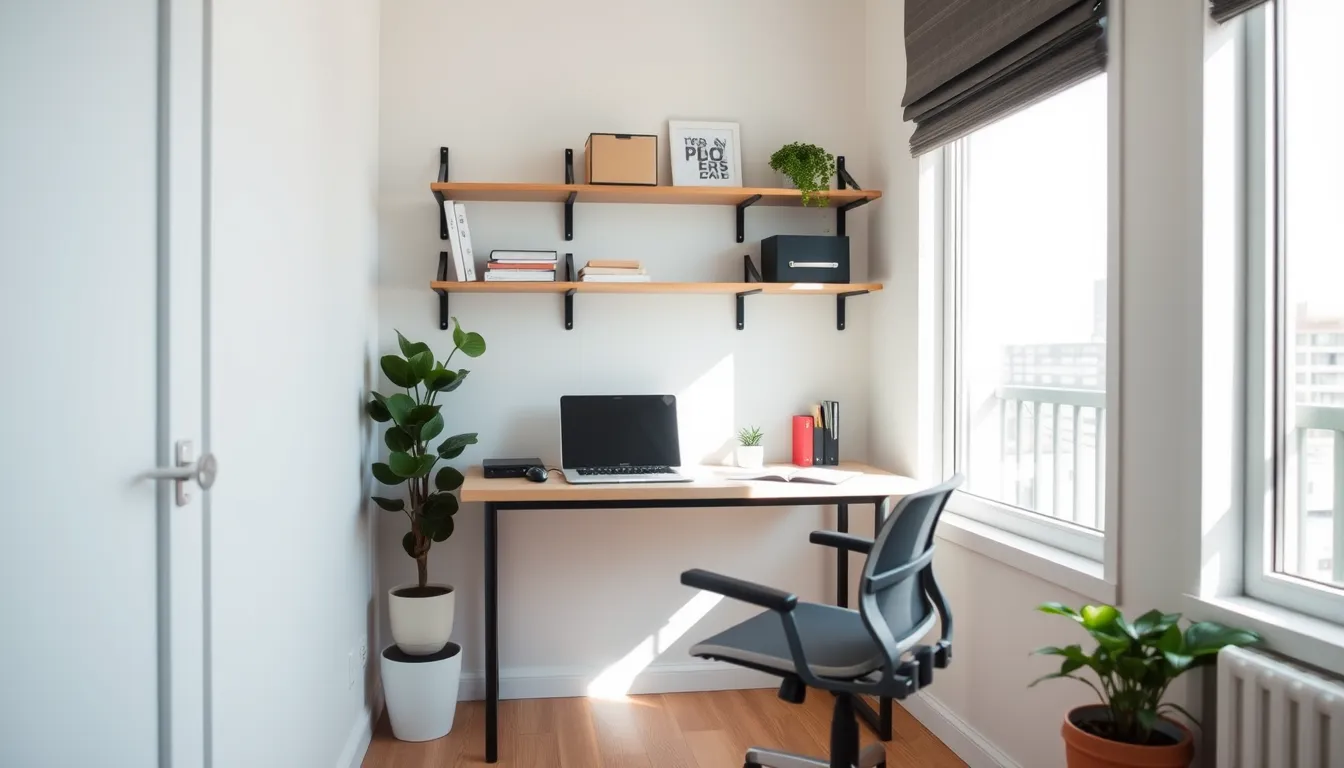
If you’re working from a small apartment, a shared bedroom, or any cramped nook, you’ll recognize how quickly a desk can dominate the room. This guide is for anyone who needs a functional, ergonomic workspace without feeling boxed in.
By following a realistic space audit and then layering vertical storage, modular furniture, and daily habits, you’ll learn how to organize a home office with limited space in a way that feels natural and sustainable. The result is a tidy, productive zone that supports your work without sacrificing comfort or style.
Assess the Space and Identify Core Work Activities
Start by pulling a tape measure and drawing a quick floor plan. Record the length and width of the room, then add the heights of windows and the width of doors. Knowing where natural light falls helps decide where a desk can sit without glare, and doorways determine which pieces can be moved in or out.
Next, list every activity you’ll perform in the space: drafting reports, video calls, file review, quick coffee breaks, and any side projects that need separate equipment. Rank them by frequency. This list shows which items are non‑negotiable—your primary monitor, keyboard, chair, and a reliable internet connection.
With that inventory, decide what must physically fit. If you need a second monitor, a small filing drawer, and a printer, measure each item’s footprint. Then compare those measurements to the available floor area after accounting for circulation space. If the room is tight, consider a wall‑mounted monitor arm or a compact printer to keep the desk clear.
Finally, set realistic goals: “I will keep the desk surface free of clutter, store paperwork in vertical bins, and position the chair so that the monitor sits at eye level.” These goals guide the next steps of vertical storage and modular furniture selection.
Use Vertical and Hidden Storage to Free Floor Space
With the goals in place, the next layer is vertical and hidden storage. By moving items up and out of sight, you reclaim precious floor space and keep the desk clear for active work.
Wall‑mounted shelves are the first line of defense. Install a simple floating shelf above the desk to hold reference books, a lamp, or a decorative element that doesn’t need to be reached every day. Pegboards add flexibility; mount one near the monitor and use hooks or small bins to keep pens, cables, and office supplies within arm’s reach while still staying off the surface.
Floating cabinets or narrow wall‑mounted cabinets can hide larger items—file folders, printer supplies, or a spare laptop—without taking up desk real estate. They keep paperwork out of the way yet still accessible.
Under‑desk trays and organizers tucked behind the door or in a closet are perfect for items you need only occasionally. A tray under the desk can hold the printer or a spare mouse, while a behind‑door organizer works well for mail, junk mail, or a stack of office envelopes.
Group items by how often you use them. Place high‑frequency tools on the pegboard or the top shelf, medium‑frequency items in the floating cabinets, and low‑frequency or seasonal items in the behind‑door or under‑desk compartments. This hierarchy reduces the need to search and keeps the space tidy.
Select Multi‑Purpose Furniture and Optimize Layout
Selecting the right modular furniture is the next critical step in defining your functional zones. Since floor space is at a premium, prioritize pieces that transform or disappear when not in use. A wall-mounted desk that folds down against the wall eliminates a permanent footprint, allowing you to reclaim the floor for movement or secondary activities. Look for convertible seating, such as ottomans with internal storage or chairs that tuck fully under the work surface. These choices ensure that your ergonomic setup remains accessible without sacrificing walkable area.
When arranging these elements, focus on distinct zoning for different work modes. Create a dedicated focus area where you perform deep work, keeping distractions to a minimum. If your workflow involves collaboration or video calls, position your chair so you can pivot easily toward a shared surface or a second screen. This spatial separation helps signal to your brain when it is time to concentrate versus engage, reducing mental fatigue.
Maintaining clear pathways is essential for preventing the feeling of being cramped. Ensure there is enough room to move between the desk, storage units, and doorways without bumping into clutter zones. If the room feels tight, consider swapping a bulky table for a slim, storage-integrated console that doubles as a desk. By aligning furniture placement with your actual workflow, you create a layout that supports productivity rather than hindering it. This approach turns limited square footage into a highly efficient, adaptable workspace that grows with your needs.
Tame Cables and Digital Clutter
Cable management is often the first thing to slip out of hand, creating a tripping hazard and a visual distraction. Start by routing power and data lines away from high-traffic areas. Use cable trays mounted under the desk or along the wall to keep wires off the floor. For shorter runs, adhesive clips help secure cords neatly against surfaces, preventing tangles. Where possible, switch to wireless keyboards, mice, and headsets. This single change can eliminate most of the clutter on your desktop, giving you immediate breathing room and a cleaner look for your ergonomic setup.
Digital clutter is just as disruptive as physical mess. A disorganized computer desktop or cloud drive slows down your workflow. Create a simple, logical filing system for both digital and paper documents. Use clear, consistent naming conventions rather than generic labels like “final” or “new.” Group files by project or date to make retrieval quick and intuitive. For paper, limit your active storage to a few dedicated trays or binders. Archive anything you do not need daily in a closed cabinet or box.
Labeling is the key to maintaining this order. Mark cable bundles with small tags indicating their destination. Label storage bins and folders clearly so anyone, including future you, can find what is needed without digging. This consistency reduces decision fatigue and prevents items from drifting back into clutter zones. By treating your digital and physical files with the same respect as your furniture layout, you ensure the entire home office functions as a cohesive unit.
Build Simple Habits to Keep the Office Organized
Sustaining an orderly workspace requires consistent, low-effort actions more than occasional deep cleans. Start by implementing a daily reset routine at the end of your work session. Spend five minutes returning items to their designated spots, clearing coffee cups, and straightening papers. This brief habit prevents clutter from accumulating overnight and ensures your morning starts with a clear, functional desk surface.
Pair this routine with clear labeling for all storage containers. Whether you use small bins for pens or larger boxes for archival documents, visible labels eliminate guesswork. When you know exactly where a stapler or a specific report belongs, you are less likely to leave it on the desktop. This clarity supports the zoning strategy established during your initial setup, keeping each area dedicated to its specific purpose.
Schedule a more thorough declutter session once a month. Use this time to evaluate items you have not used recently. If a tool or supply has not served a purpose in the last thirty days, consider removing it from your active workspace. This regular audit keeps your vertical storage units from becoming overfilled and ensures your modular furniture remains accessible.
Finally, apply the “one in, one out” rule for physical supplies. If you purchase a new notebook, organizer, or piece of equipment, commit to donating, recycling, or discarding an existing item of the same type. This simple constraint prevents inventory creep and maintains balance within your limited square footage. By treating these habits as non-negotiable parts of your workflow, you protect your ergonomic setup and ensure your home office remains a productive, calm environment rather than a source of stress.